Computer Repair in Panaji, Goa
Express IT Solutions provides computer repair in Panaji, Goa for homes, professionals and businesses that need reliable help with laptops, desktop PCs, Windows problems, hardware faults, slow computers, networking and other IT issues.
We provide onsite computer support across Panaji and nearby areas, with additional workshop support available from our Porvorim office. Whether you search for computer repair in Panaji or computer repair in Panjim — contact Express IT Solutions with details of the problem.
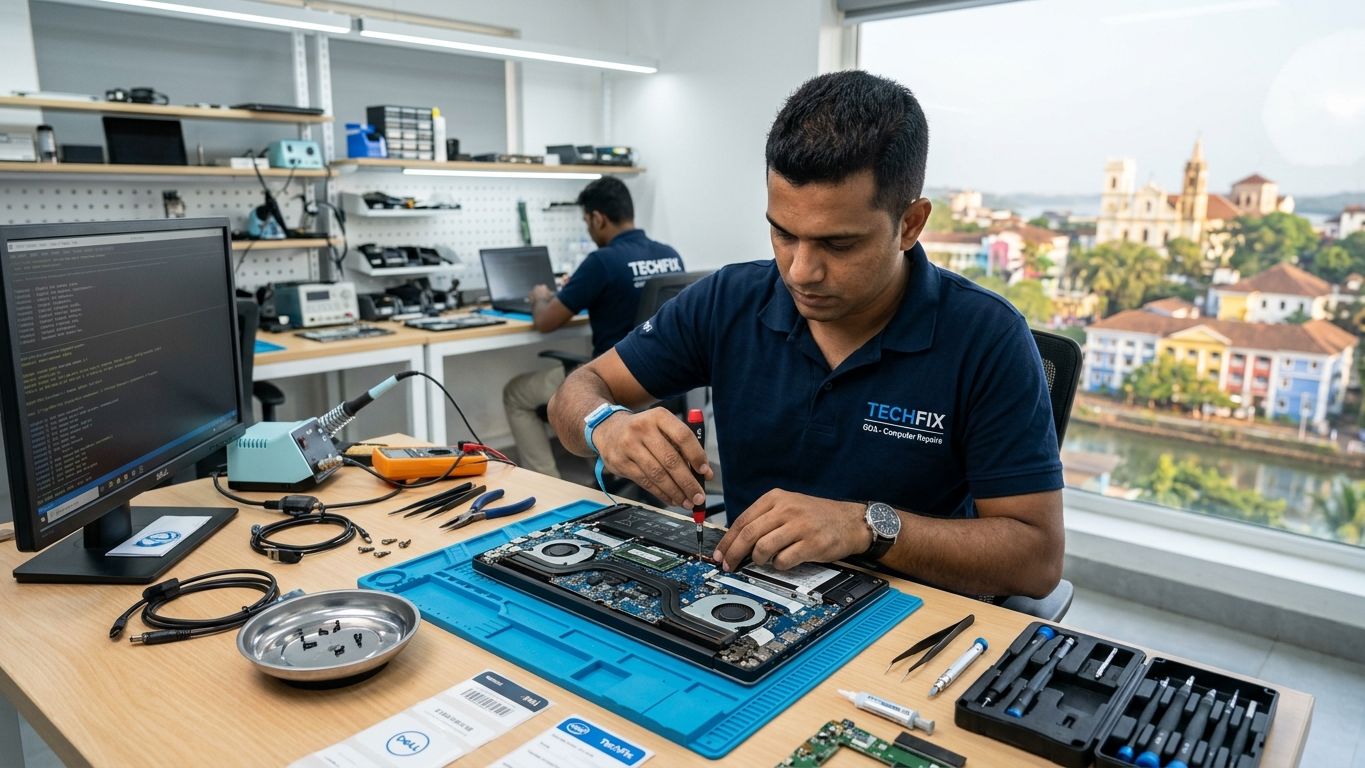
Computer & Laptop Repair Services in Panaji
Computer problems are not always caused by one obvious component. A computer that appears slow could have a failing hard drive, insufficient memory, too many background processes, Windows problems or malware. Proper diagnosis should therefore come before replacing parts.
If you're unsure what is wrong, simply tell us what the computer is doing and we can begin from there.
Laptop Repair in Panaji
Laptops combine many components into a compact device, which means a problem that appears simple can sometimes have several possible causes. Express IT Solutions provides laptop repair and troubleshooting in Panaji for a wide range of computer problems.
We support a wide range of laptop brands and configurations. Send us the brand, model and symptoms when contacting us so we can better understand the issue.
Call NowCommon Laptop Issues
- Laptop not switching on
- Laptop powering on but showing no display
- Windows not loading
- Laptop running very slowly
- Laptop freezing
- Laptop overheating
- Battery or charging problems
- Screen problems
- Wi-Fi not connecting
- Keyboard or peripheral problems
- Hard drive or SSD faults
- Software errors
- Malware and unwanted software
Desktop & PC Repair in Panaji
Desktop computers remain widely used in offices, shops, professional businesses and homes because they are easier to upgrade and can provide excellent performance for longer periods. However, desktop PCs can develop hardware and software problems over time.
Where an older desktop is still otherwise suitable, upgrading selected components may be more economical than purchasing a completely new computer.
WhatsApp UsCommon Desktop Issues
- Desktop not turning on
- Computer starts but there is no display
- Windows not booting
- Random shutdowns
- Computer restarting unexpectedly
- Slow desktop performance
- Storage problems
- RAM problems
- Power-related faults
- USB or peripheral problems
- Network connectivity
- Software and Windows errors
Computer Not Starting?
A computer that refuses to start can be frustrating, particularly when important work or files are stored on it. There are several different types of startup failure.
These symptoms can have different causes. Possible problems include storage failure, Windows corruption, memory problems, power issues or other hardware faults. Rather than repeatedly restarting or reinstalling software without knowing the cause, diagnosis can help determine what actually needs attention.
Slow Computer Repair & Performance Upgrades
A slow computer does not automatically need replacing. Many otherwise usable laptops and desktops can become frustratingly slow because of ageing storage, limited RAM, unnecessary software or operating-system problems. Before buying a new computer, it can be worth determining whether a relatively straightforward upgrade could extend the useful life of your existing system.
SSD Upgrade
Replacing an older mechanical hard drive with a compatible SSD can significantly improve boot time and application responsiveness on suitable computers.
RAM Upgrade
Increasing memory can help computers that struggle when several applications, browser tabs or business programmes are open at the same time.
Windows Optimisation
Startup applications, unnecessary background software and system configuration can affect performance.
Storage Cleanup
A drive that is almost full can create additional performance and usability problems.
Windows Repair & Software Troubleshooting
Not every computer problem is hardware-related. Windows and application problems can make a healthy computer difficult to use. We can assist with Windows startup problems, update errors, driver problems, software installation, applications crashing, startup errors, system configuration, printer driver problems, network configuration and general Windows troubleshooting. Where appropriate, operating-system repair or reinstallation options can be discussed after considering the files and applications currently stored on the computer.
Virus & Malware Removal
Unexpected pop-ups, browser redirects, unfamiliar applications or unexplained changes in computer behaviour can sometimes indicate malware or potentially unwanted software. Other warning signs may include a computer suddenly becoming slow, browser homepage changing, excessive advertising pop-ups, unknown programmes appearing, security settings changing or applications behaving unexpectedly.
We can inspect affected computers, remove detected unwanted software and help restore normal operation where possible. Users should also ensure important files are backed up and use appropriate security practices to reduce the risk of future infections.
Laptop & Computer Overheating
Does your laptop become unusually hot or shut down during use? Computers generate heat and rely on fans and ventilation to keep internal components within safe operating temperatures. Over time, restricted airflow, dust accumulation, fan problems or other cooling issues can contribute to overheating.
Typical symptoms include a laptop becoming very hot, fan running constantly, computer slowing down after extended use, sudden shutdowns, unexpected restarts and excessive fan noise. Overheating should be investigated because repeatedly operating a system under excessive heat can affect reliability.
Hard Drive & SSD Problems
Your hard drive or SSD stores Windows, applications and personal files. When storage begins developing problems, symptoms can include a computer taking unusually long to start, Windows failing to boot, files becoming inaccessible, frequent freezing, drive errors and the computer repeatedly entering repair mode.
If important files are stored on a computer that appears to have a failing drive, avoid unnecessary repeated attempts to repair or restart it. The condition of the storage device should first be assessed. Data recovery cannot be guaranteed, particularly where a drive has suffered serious physical or electronic failure.
Computer Screen Problems
Laptop display problems can range from visible cracks to more complicated issues where the laptop turns on but nothing appears on the screen. Screen-related symptoms can include a cracked laptop display, flickering, lines across the screen, a dim display, intermittent picture and a blank screen.
The screen itself is not always responsible. Display cables, graphics hardware or other components may sometimes produce similar symptoms. Diagnosis helps determine what requires repair or replacement.
Wi-Fi & Network Problems
Sometimes what appears to be a computer fault is actually a network problem. If a laptop works correctly but cannot connect reliably to the internet, the issue may involve Wi-Fi signal coverage, router configuration, network settings, DNS, network adapters, cabling or internet equipment.
Because Express IT Solutions also provides networking services, we can investigate the computer and the wider connection rather than treating them as completely separate problems.
Repair or Replace Your Computer?
This is one of the most common questions customers ask. Rather than replacing a computer automatically, identifying the fault first allows you to compare the options more accurately.
Repair May Make Sense When
- The computer is still reasonably modern
- The problem is limited to one component
- An SSD or RAM upgrade would noticeably improve performance
- Replacing the computer would cost significantly more
Replacement May Be More Sensible When
- Several major components are failing
- The computer is extremely old
- Repair cost approaches the value of a replacement
- The hardware no longer meets your software requirements
Onsite Computer Repair in Panaji
Not every IT problem is practical to bring to a repair workshop. Express IT Solutions provides onsite computer and IT support in Panaji for suitable residential and business requirements. Onsite service can be particularly useful when the problem involves office desktop computers, internet connectivity, Wi-Fi, network printers, routers, multiple computers, shared office equipment or network configuration. It also allows the technician to see how the computer interacts with the rest of your actual IT environment.
Contact us with your location and problem to check onsite-service availability.
Computer Repair for Businesses in Panaji
Computer downtime can quickly affect a business. A failed workstation can interrupt billing, email, documentation, customer service or access to important business applications. Express IT Solutions provides IT and computer support for businesses requiring assistance with desktop and laptop troubleshooting, computer upgrades, new computer setup, Windows problems, office networking, Wi-Fi, printer connectivity, shared devices, IT peripherals, software troubleshooting and general IT infrastructure.
Our wider networking, CCTV and IT-support experience can also be useful when the problem extends beyond an individual computer. Businesses that need regular support can contact us to discuss ongoing IT maintenance requirements.
Computer Repair for Home Users in Panaji
Technology problems are not limited to offices. We can also assist home users with common computer and laptop issues such as slow laptops, computers not starting, Windows problems, software installation, Wi-Fi connectivity, printer setup, computer upgrades and general troubleshooting.
For suitable issues, doorstep support may be available so the problem can be investigated in the environment where it occurs.
Why Choose Express IT Solutions?
15+ Years of IT Experience
Express IT Solutions has more than 15 years of experience providing IT services and technology support in Goa.
400+ Customers Served
Our wider IT business has supported hundreds of residential and commercial customers across Goa.
Home & Office Support
We assist individual users as well as offices, shops, hospitality businesses and other commercial customers.
More Than Computer Repair
Because we also work with networking, Wi-Fi, printers, CCTV and other IT infrastructure, we can troubleshoot problems that extend beyond the computer itself.
Doorstep & Onsite Support
For suitable issues, our technicians can visit homes and offices rather than requiring every problem to be brought to the workshop.
Practical Recommendations
Where repair is unlikely to make economic sense, we can discuss upgrade or replacement options rather than automatically recommending unnecessary work.
How Our Computer Repair Process Works
Tell Us the Problem
Call or WhatsApp us with the computer brand/model and a description of what is happening.
Initial Assessment
We identify the likely type of fault and determine whether onsite support or workshop diagnosis is more appropriate.
Diagnosis
The computer is checked to identify the underlying hardware, software or network problem.
Repair Recommendation
We explain the recommended repair or upgrade before proceeding with significant replacement work.
Testing
After repair, the relevant functions are tested to confirm the original problem has been addressed.
Handover
We explain what was done and any additional recommendations that may help prevent the problem recurring.
Computer Repair Areas We Serve Around Panaji
We provide computer and IT support in Panaji and nearby service areas. Our office is located in Pilerne/Porvorim, and onsite service is available for suitable requirements across Panaji and surrounding areas.
For urgent computer problems, contact us with your exact location and a description of the issue.
Frequently Asked Questions About Computer Repair in Panaji
Need Computer Repair Near You in Panaji?
If your laptop or desktop has stopped working, don't wait for a small problem to become more disruptive. Tell us the computer or laptop brand, model, what problem you're experiencing, when it started, your location in Panaji and whether the computer contains particularly important data.
Express IT SolutionsOffice 201/1, Volvaddo, Pilerne, Porvorim, Bardez, Goa 403114
sales@expressitsolutions.in